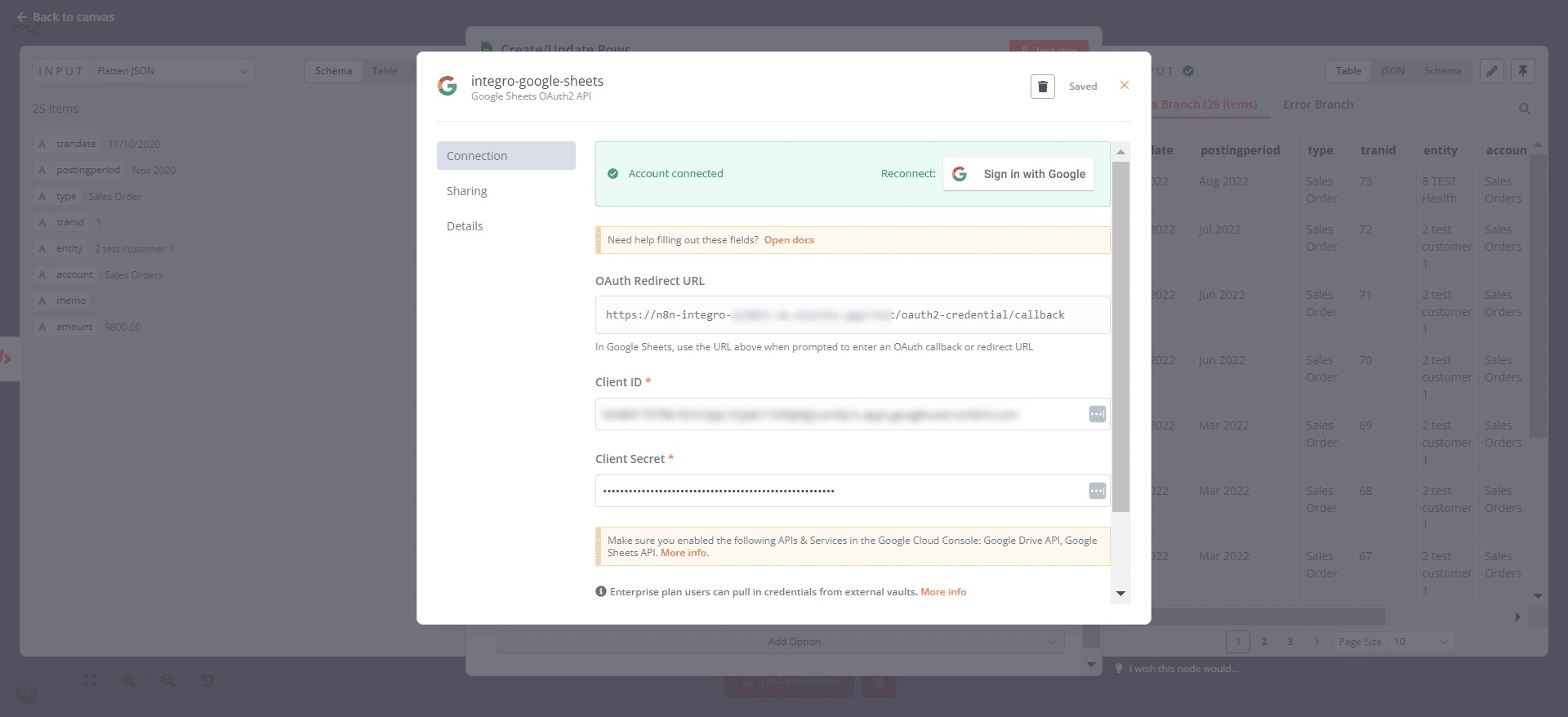

Google Sheets | Create Credentials
Mar 02, 2024●
1
Navigate to https://console.cloud.google.com/
2
Create a new project called "n8n Connector"
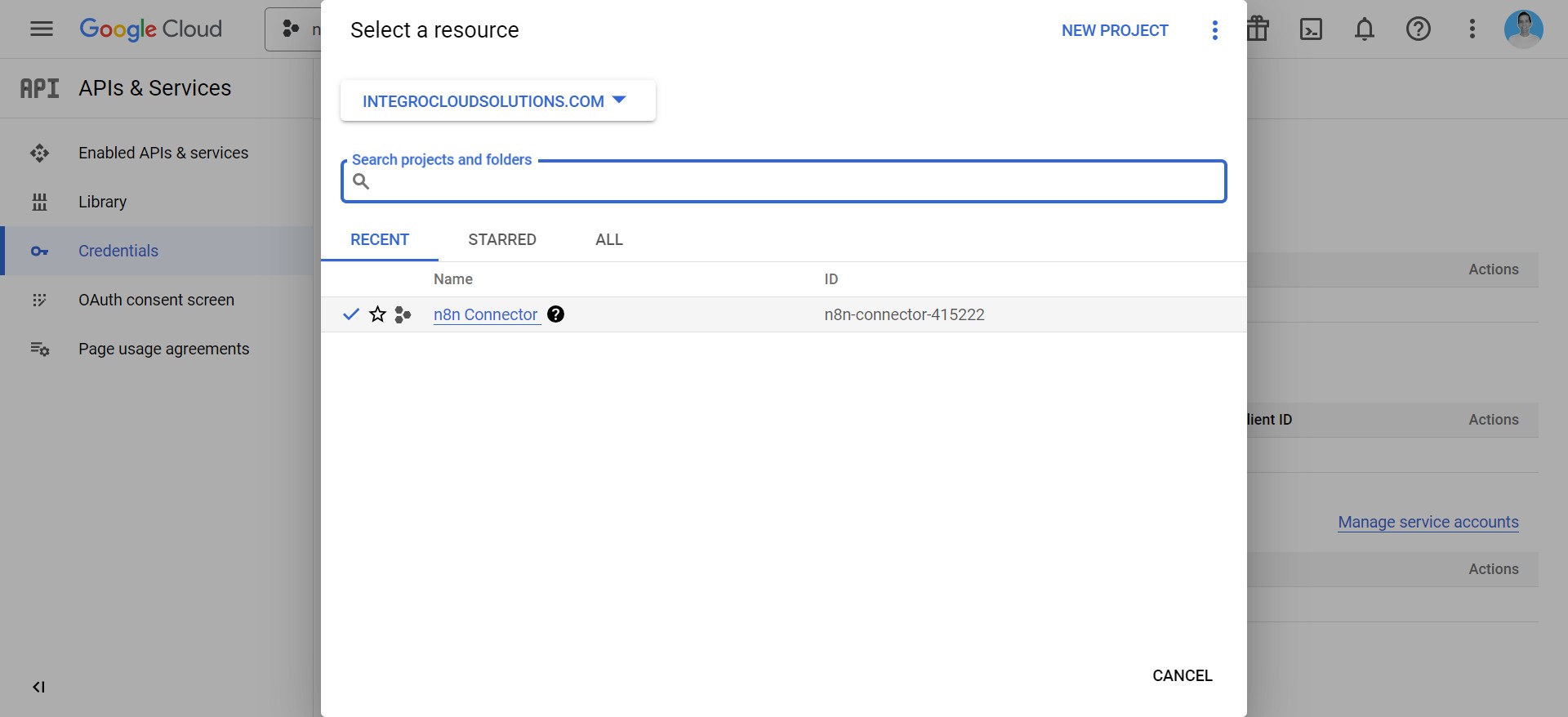
3
Go to "Credentials" and create new credentials
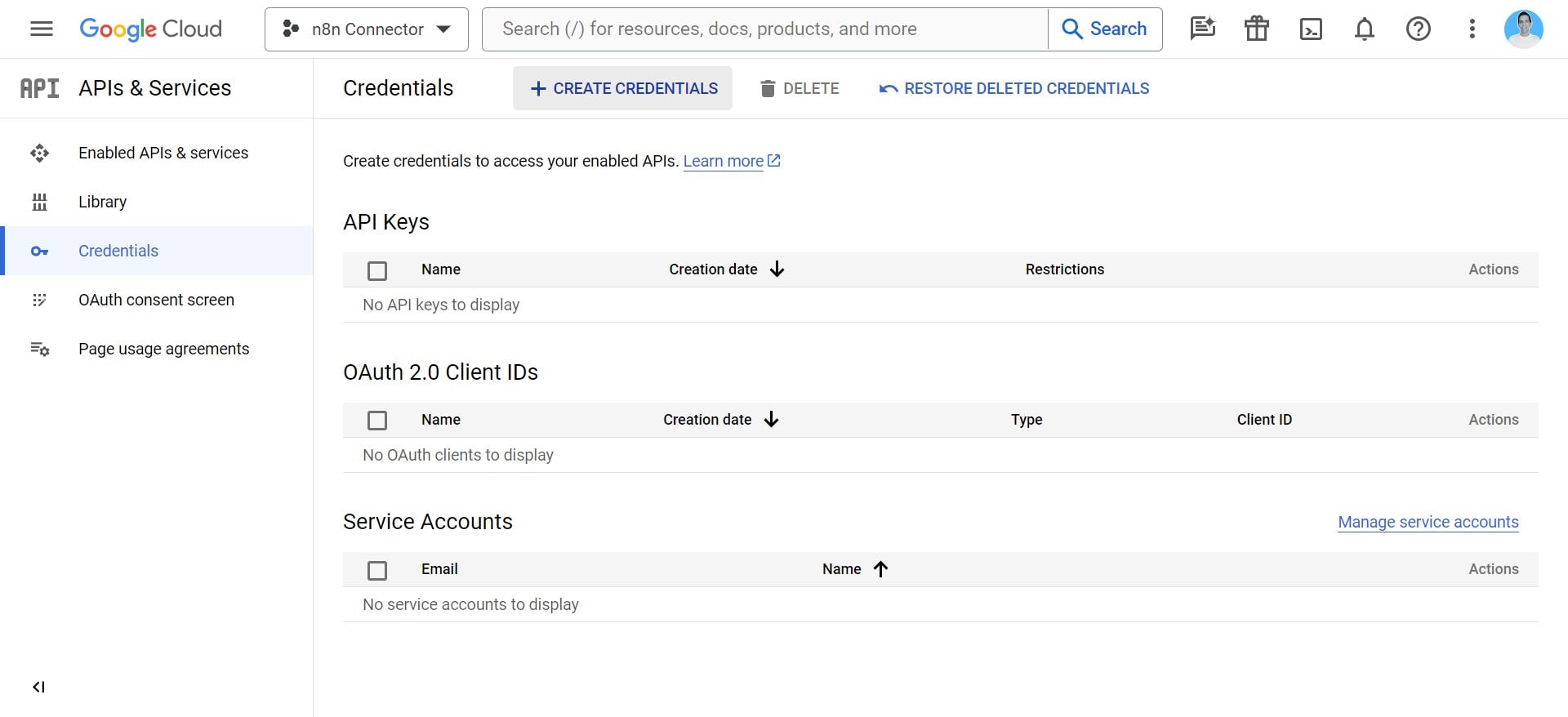
4
Click on "OAuth client ID"
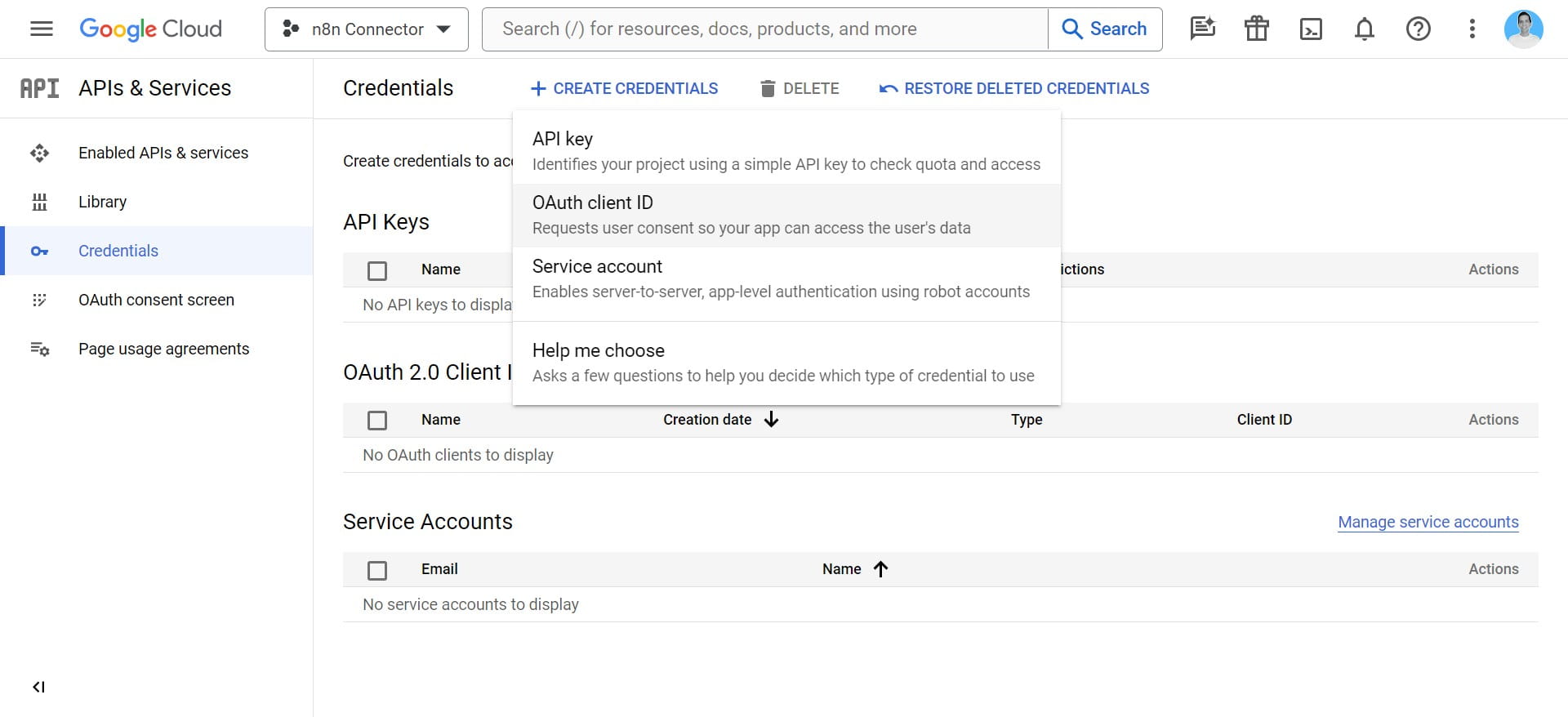
5
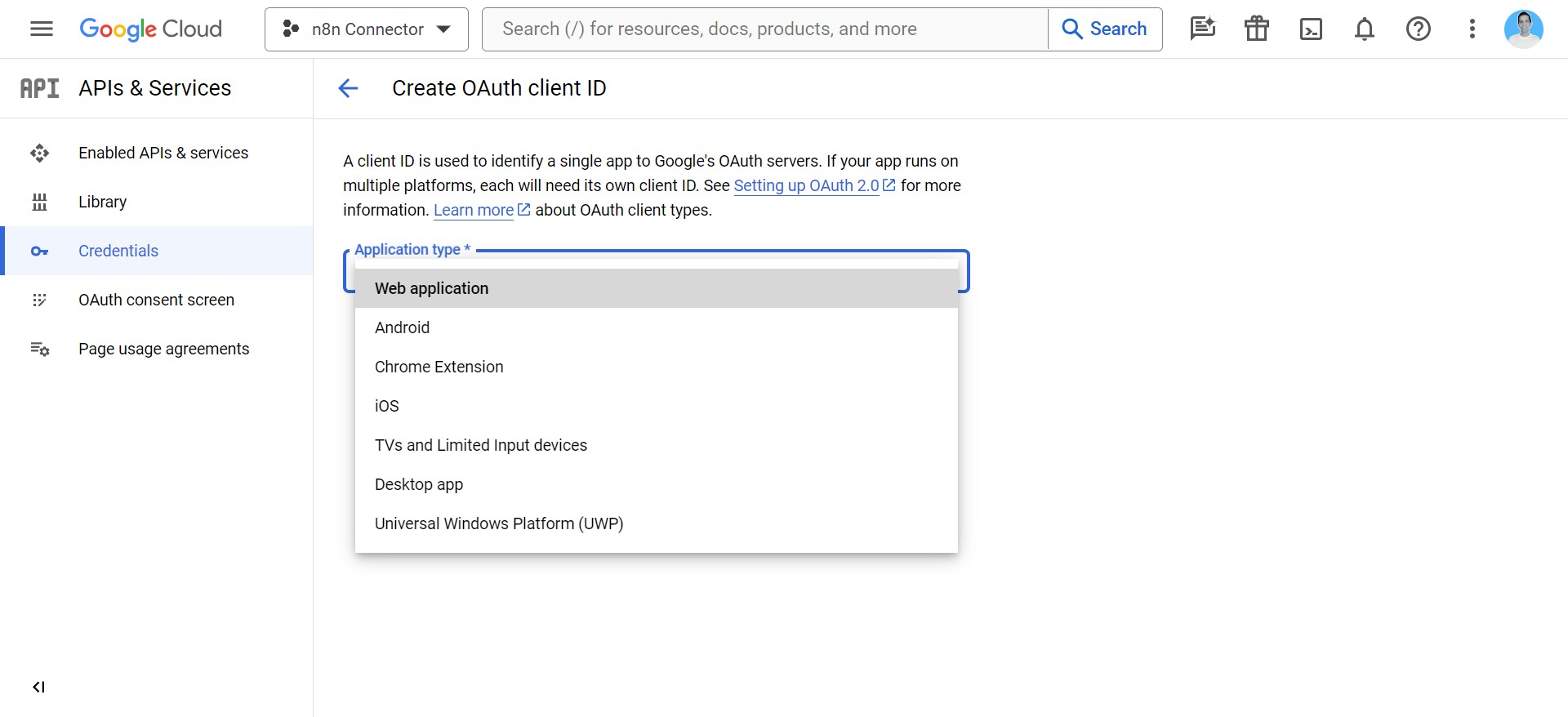
Click on "Web application"
6
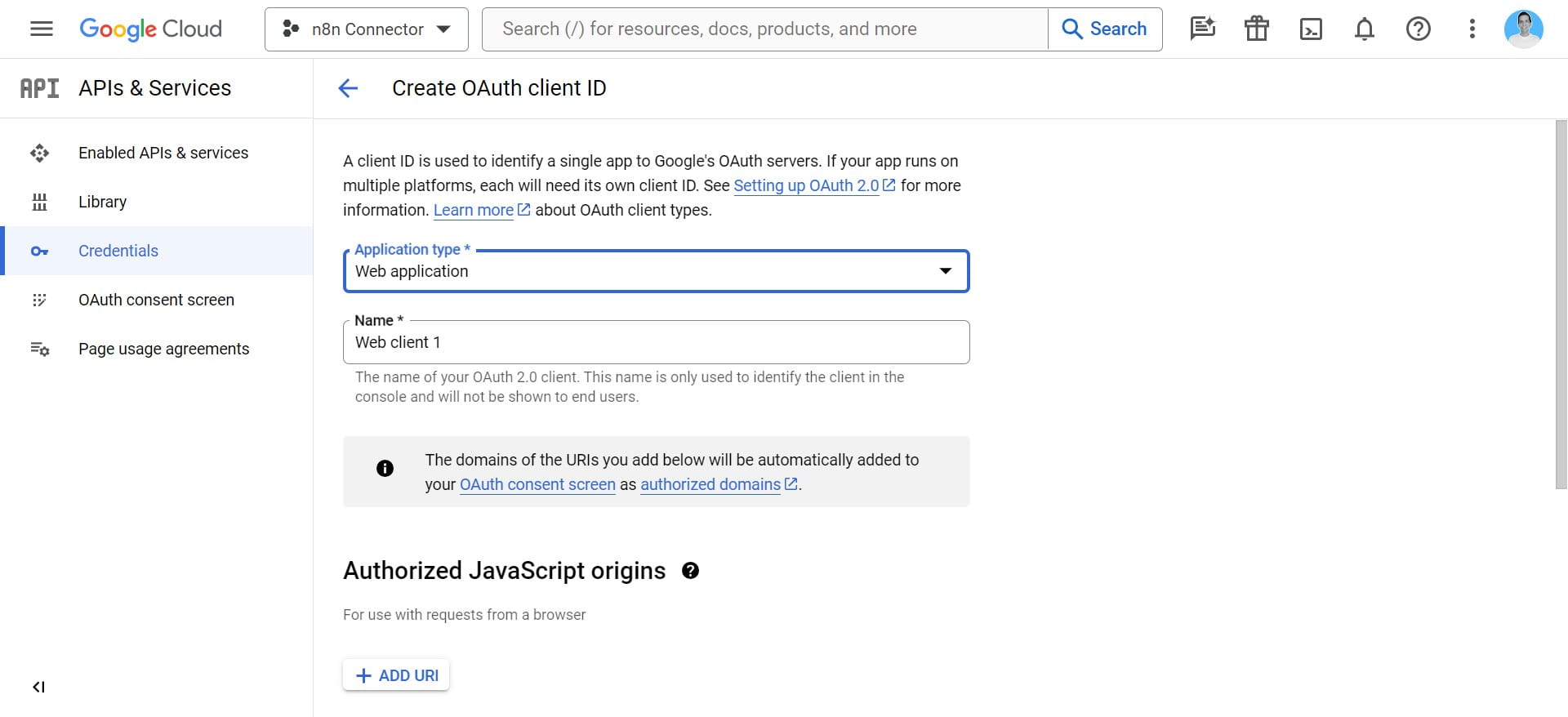
Set a name for the credential
7
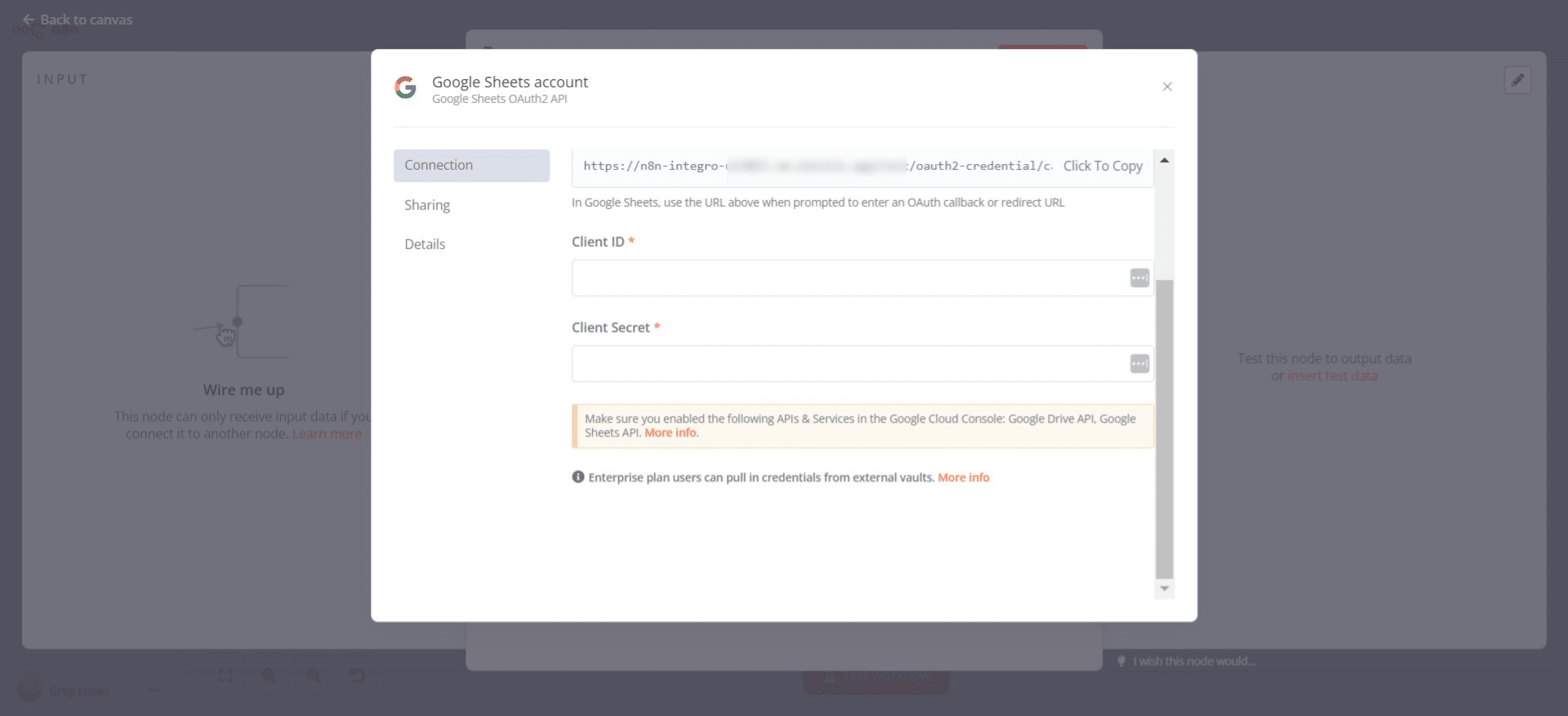
Copy your n8n callback URL
8
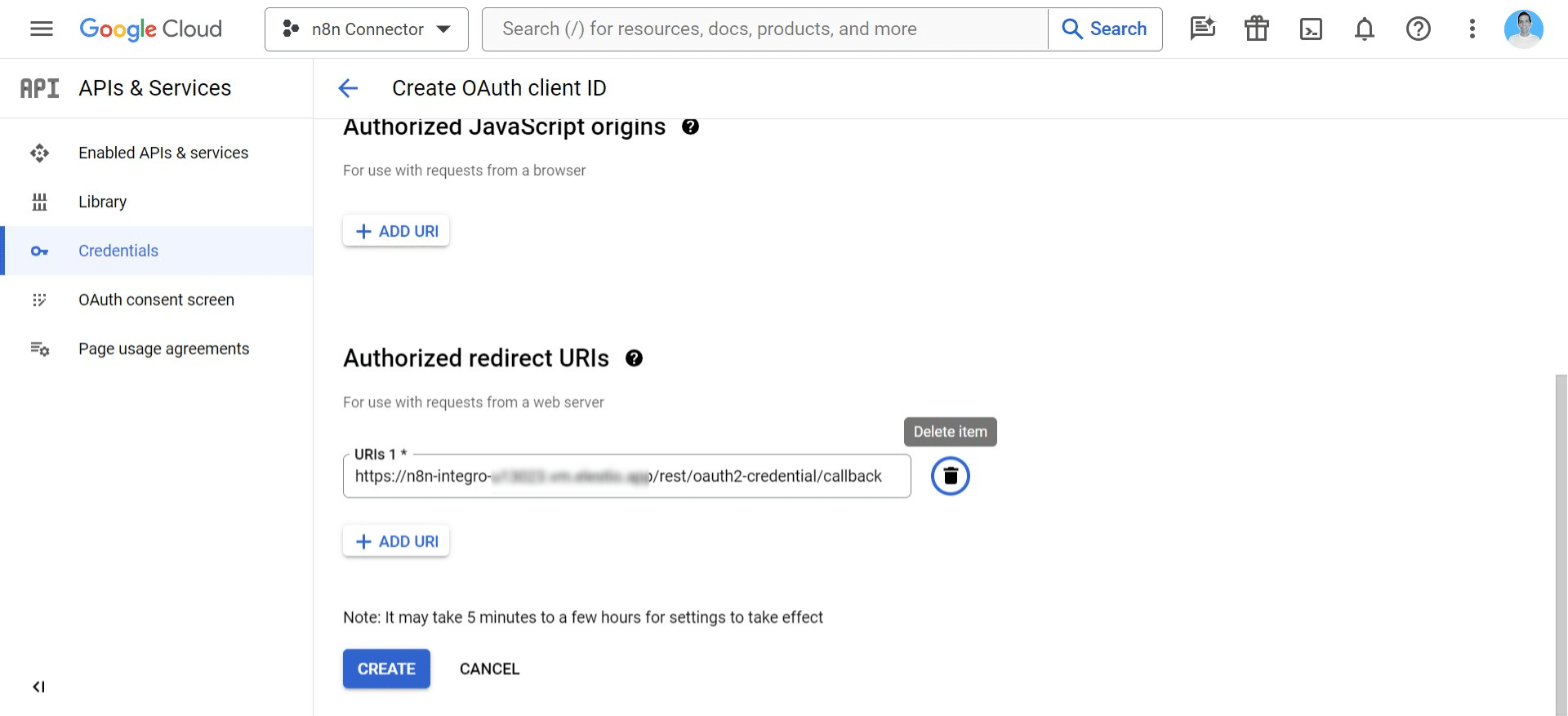
Add redirect URI to be your n8n instance callback URL.
9
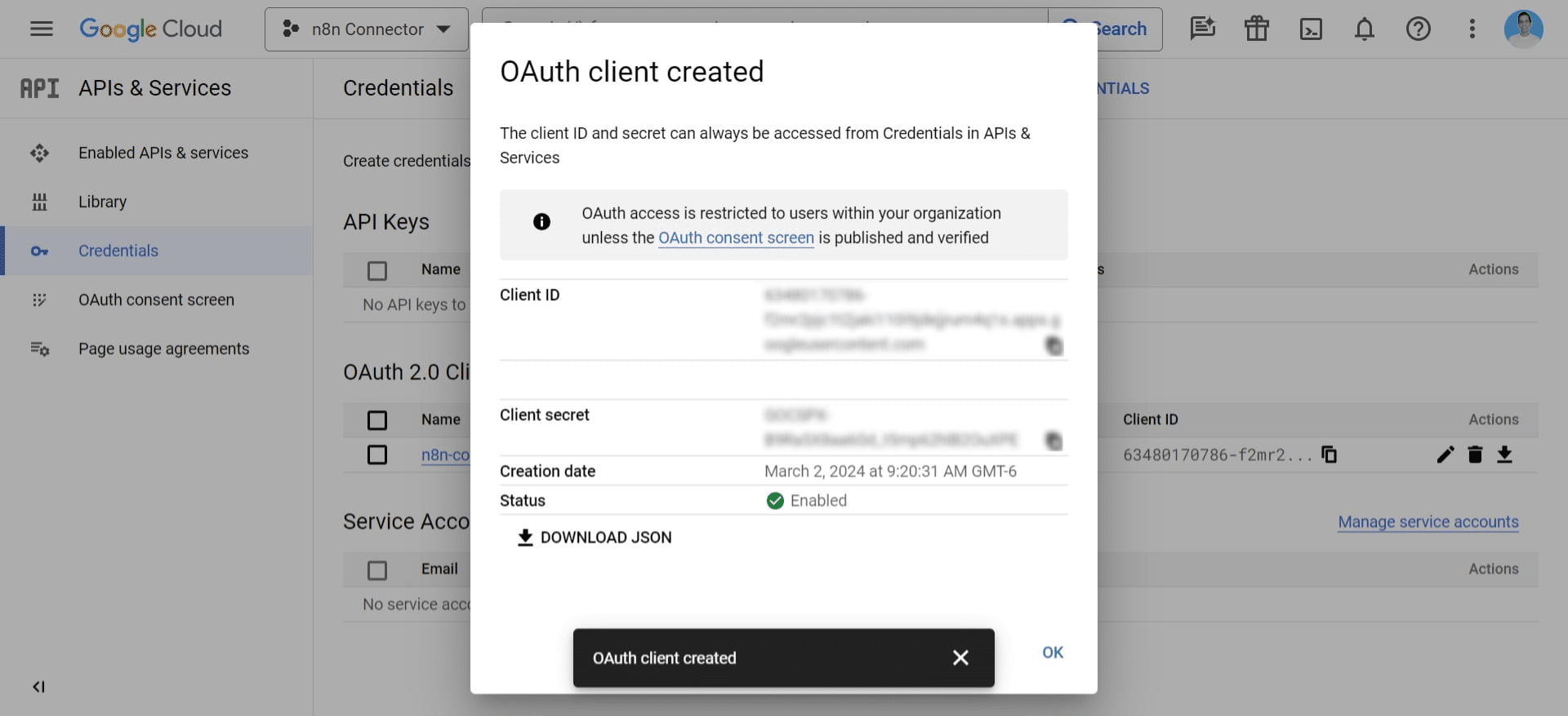
Copy your Client ID & Client Secret
10
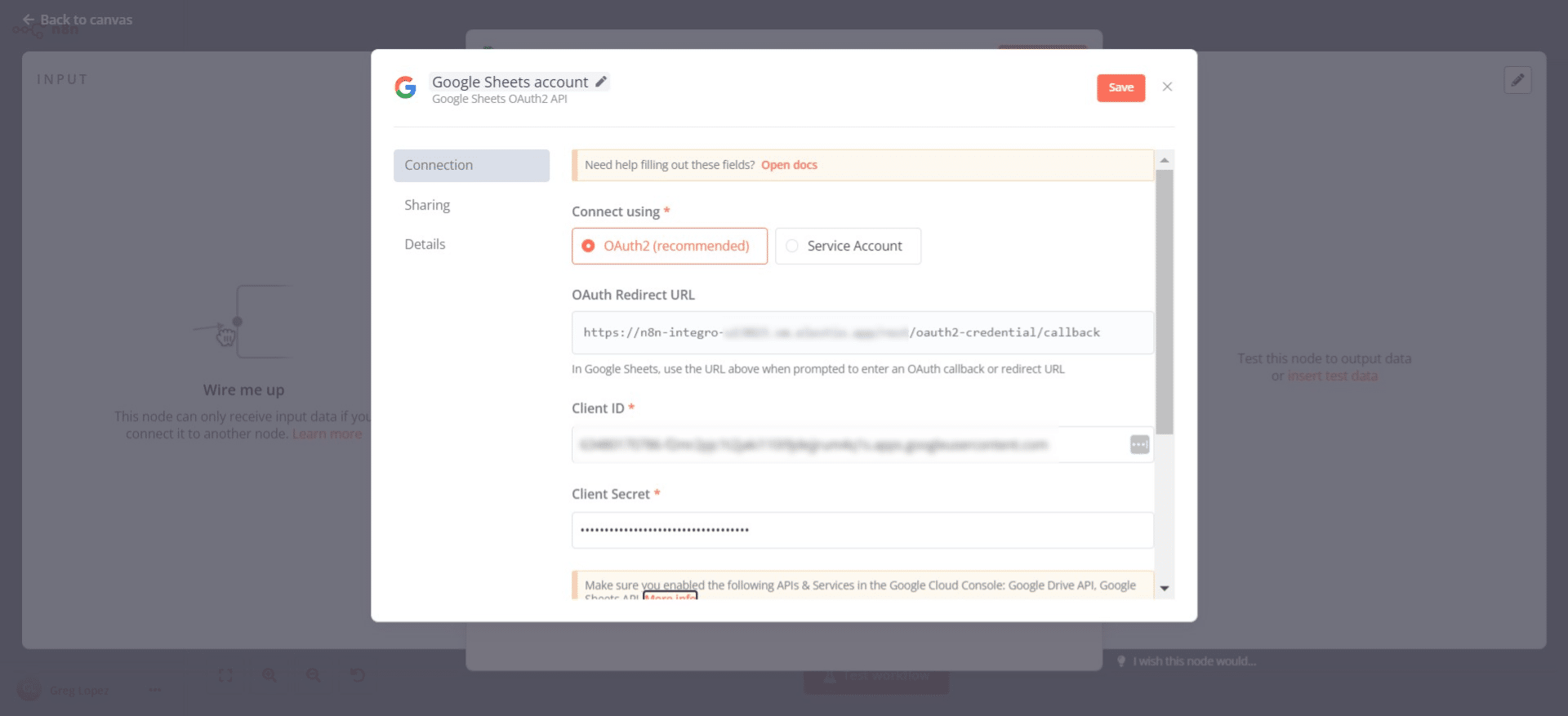
Enter your Client ID & Client Secret into the n8n connection
11
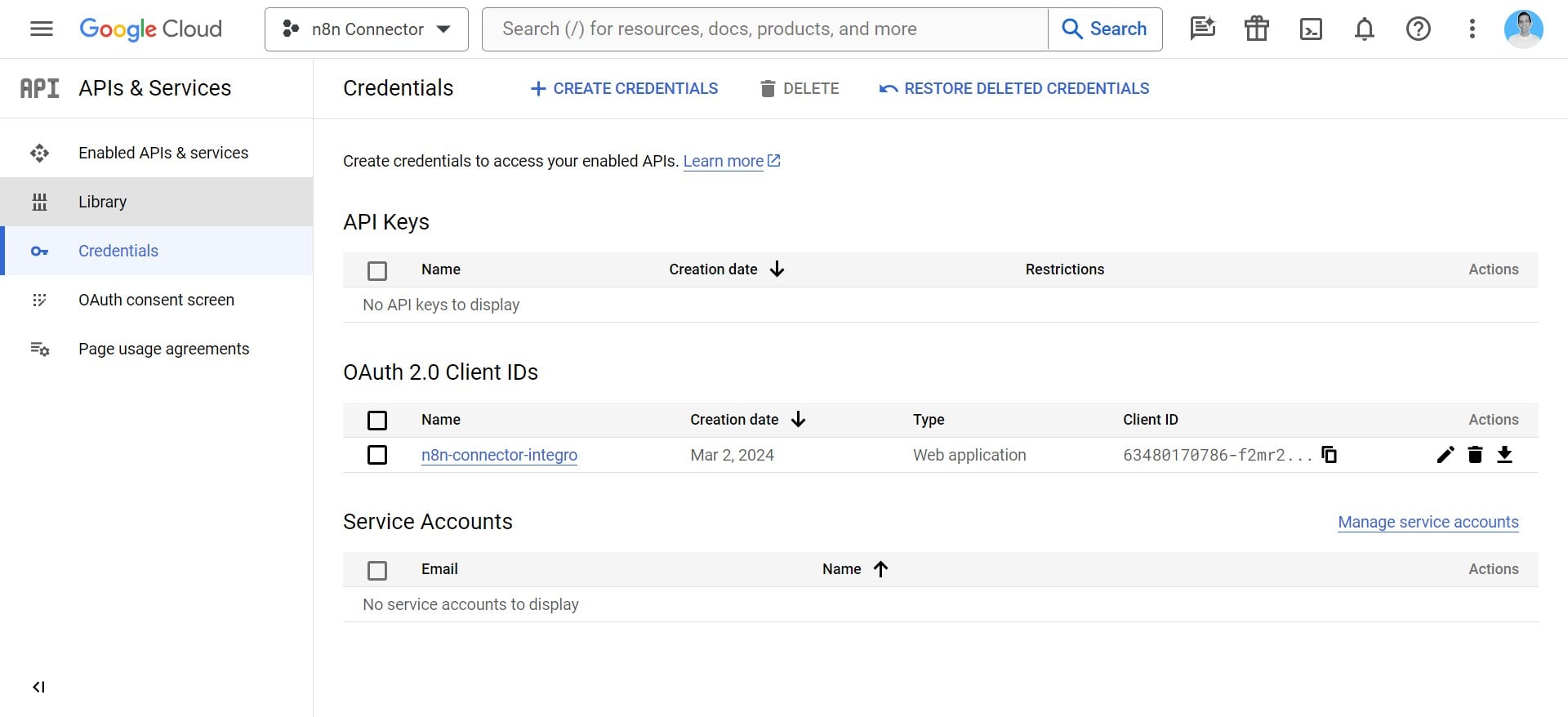
Click on "Library"
12
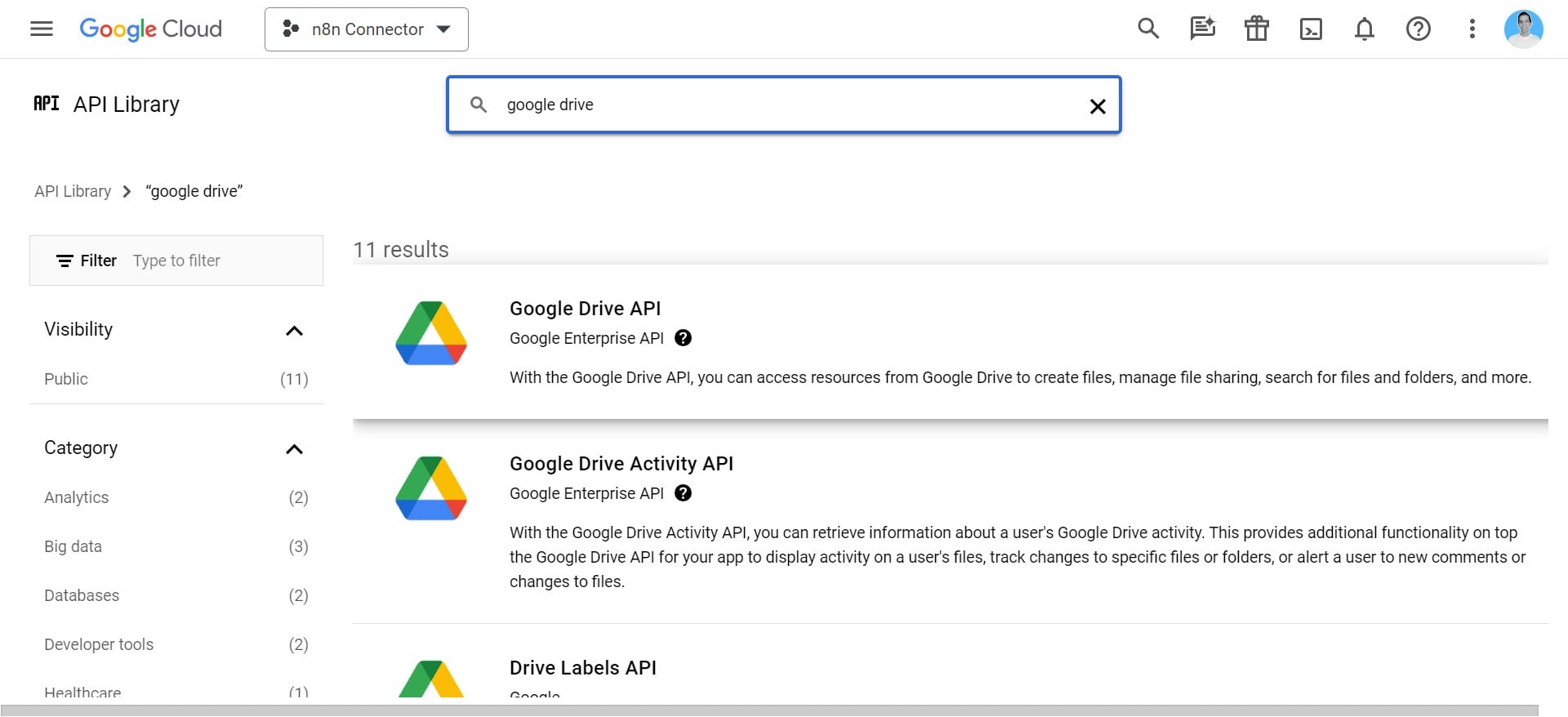
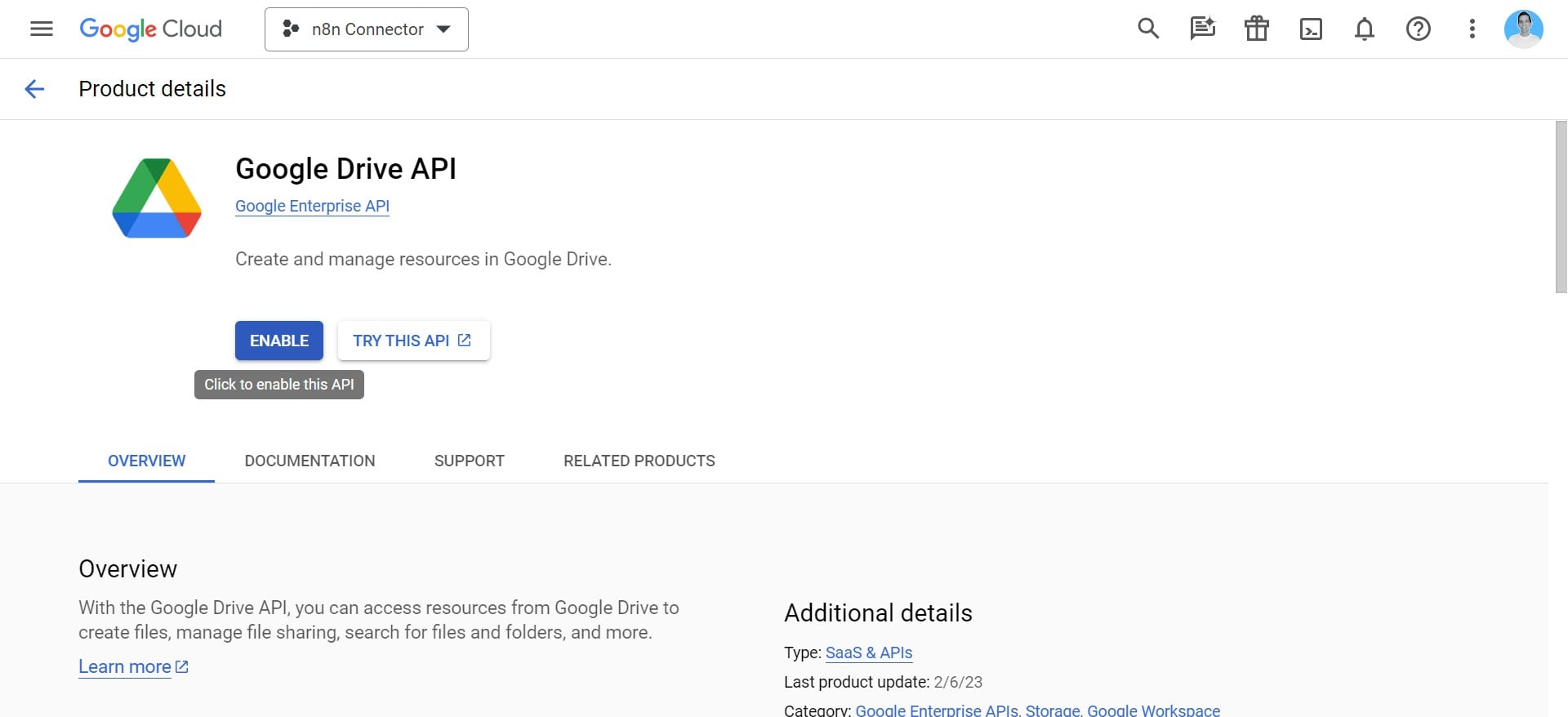
Search fo the "Google Drive API"
13
Enable the "Google Drive API"
14
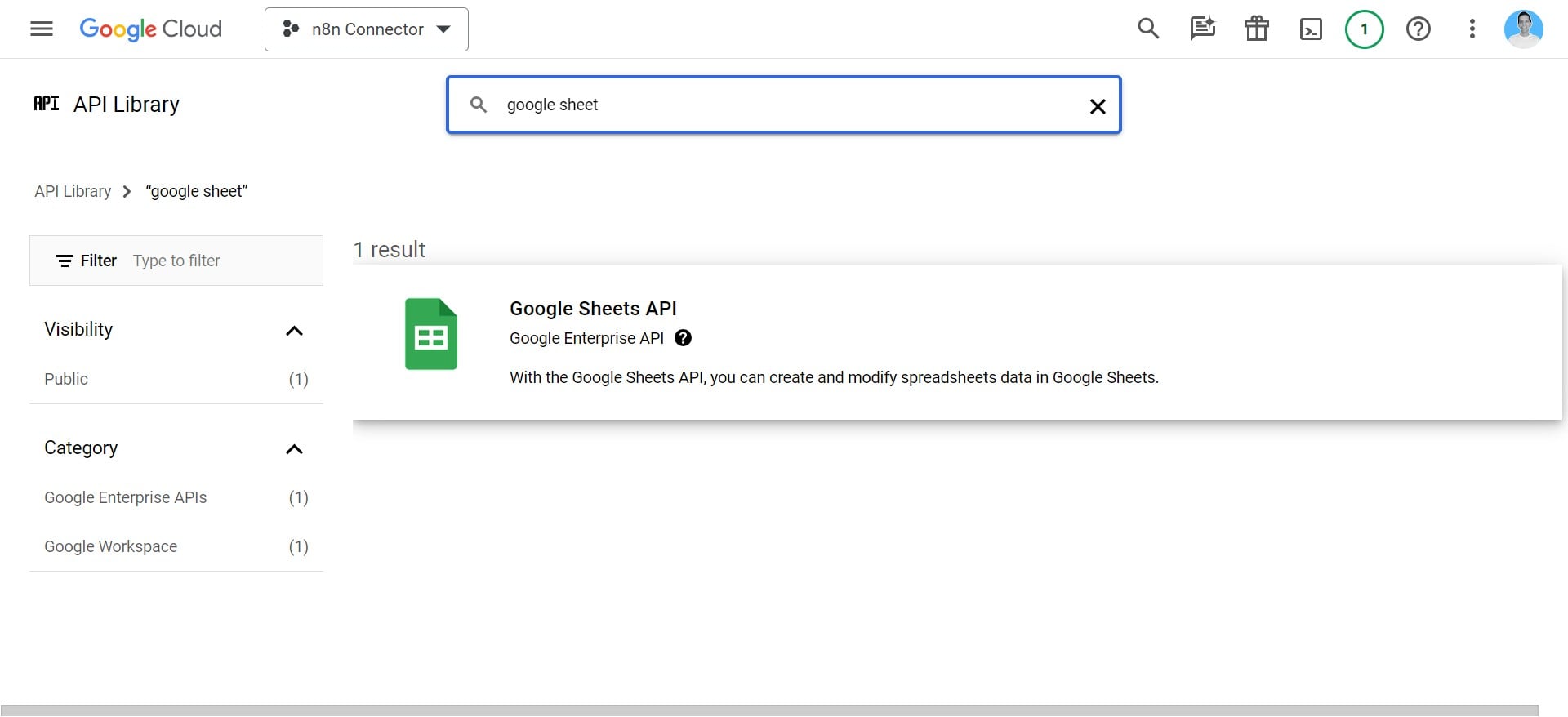
Search fir the "Google Sheets API"
15
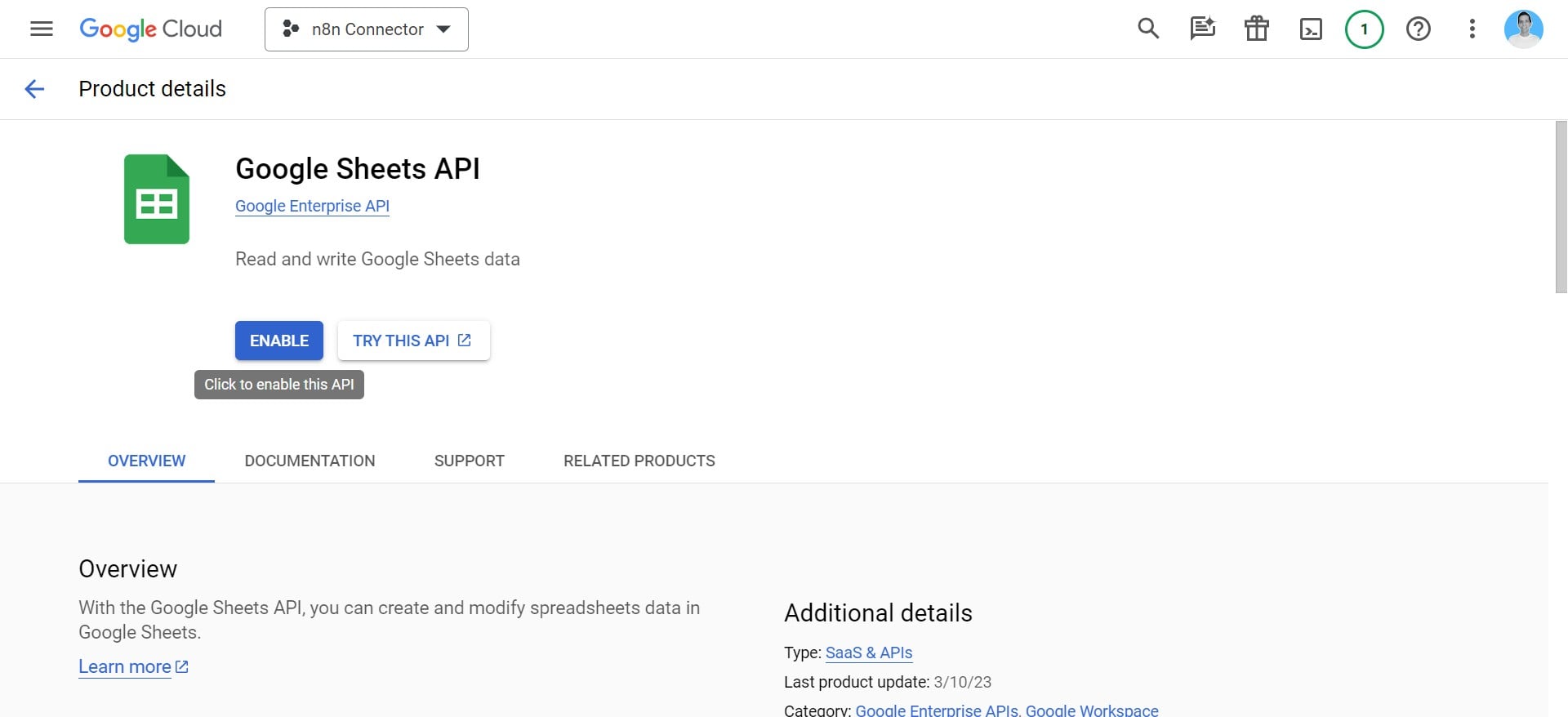
Click on "Enable Google Sheet API"
16
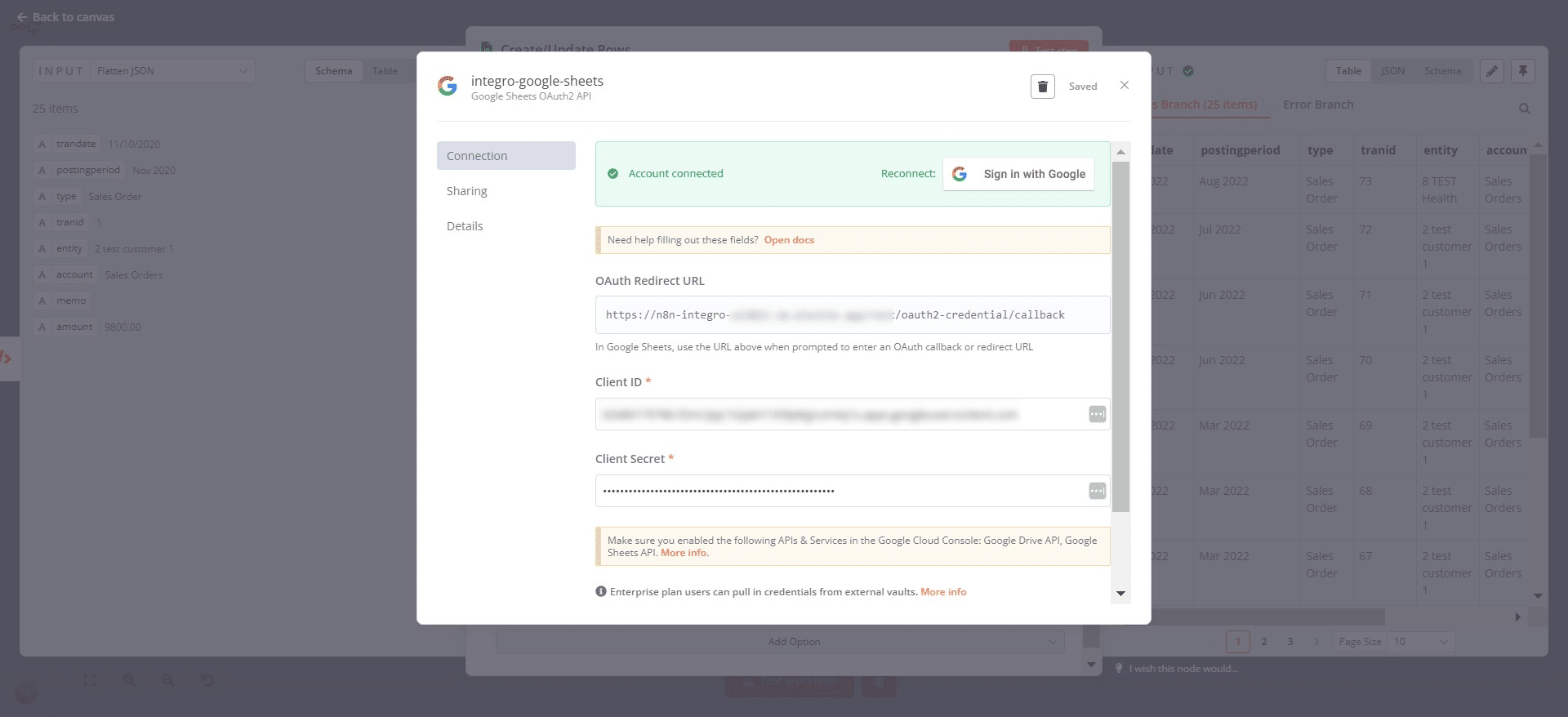
Click on "Sign in with Google"
17
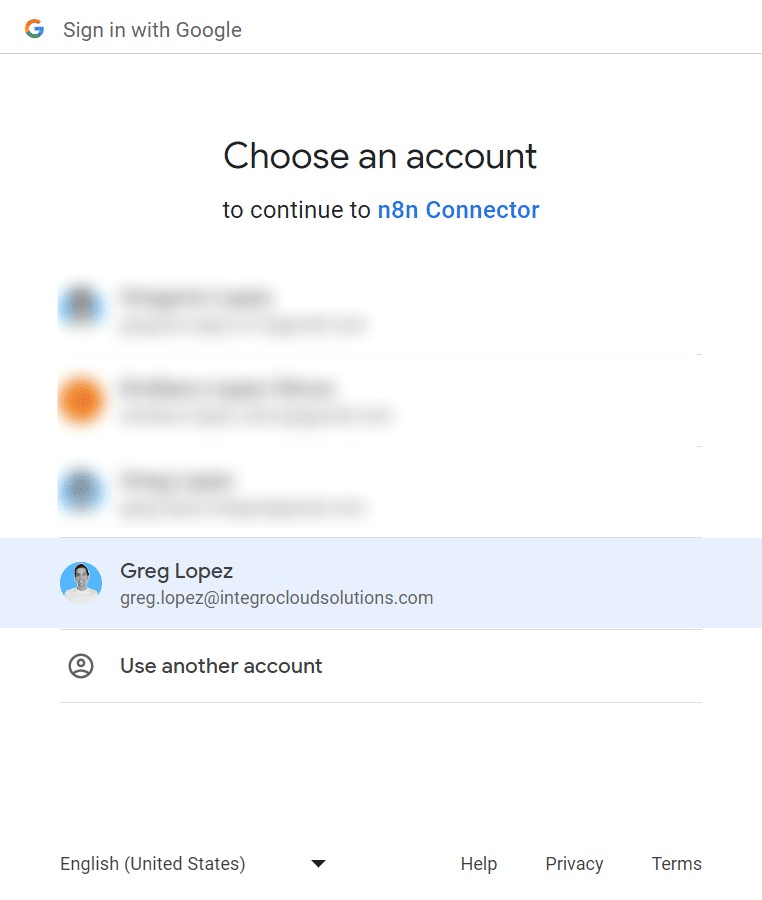
Select your Google Account to grant permisisons.
18
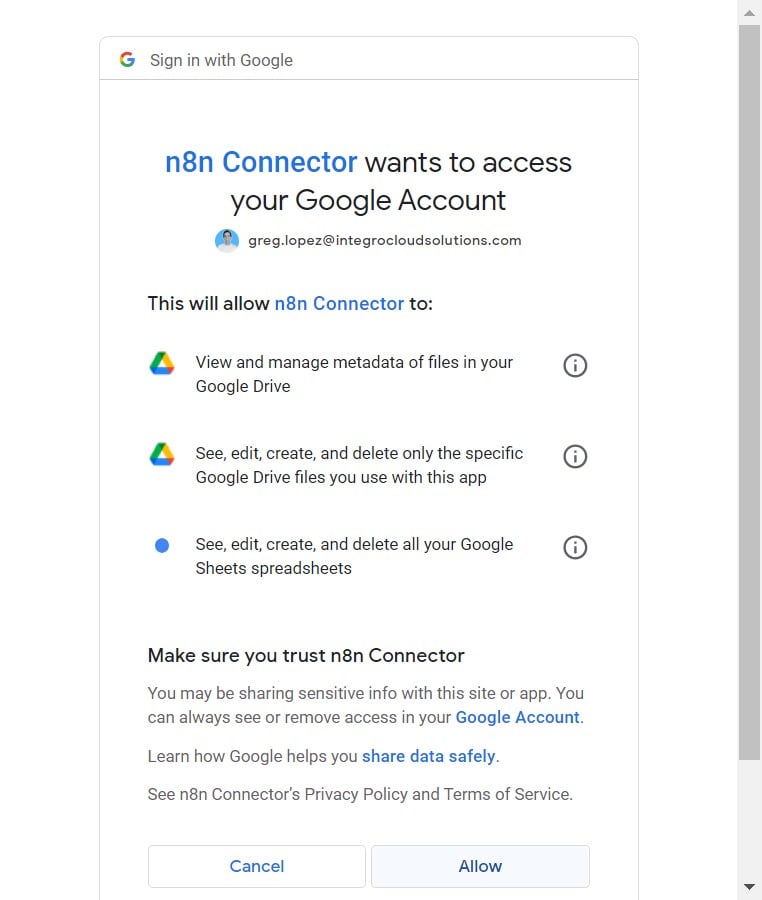
Review authorization scope and click on "Allow"
19
Complete!